FileZilla Server 下载文件时提示 550 Could not open file for reading 的解决方法
FileZilla Server 下载文件时提示 550 Could not open file for reading 的解决方法
原因
因为下载的这个文件被别的程序占用了,所以导致无法下载。
解决办法
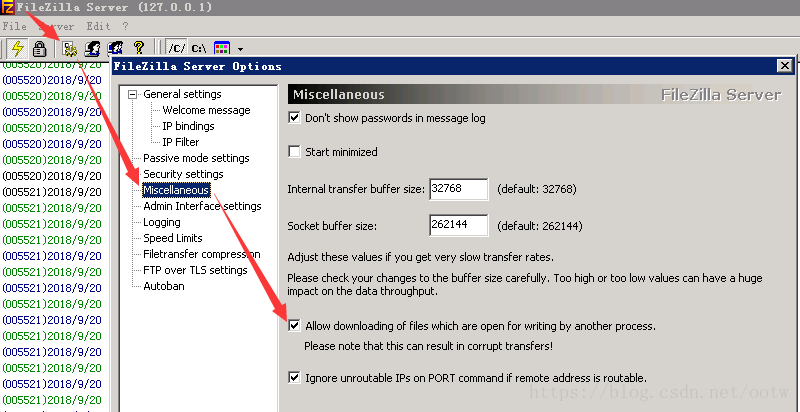
打开 FileZilla Server 管理界面-设置-Miscellaneous-Allow downloading of files which are open for writing by another process.
如下图: