# Vue中 this.$router.push 传参 及 参数接收 ## AI总结 > 本文主要介绍 Vue Router 中页面跳转及参数传递的相关内容。阐述了两种页面跳转方式,即通过 name 和 path 跳转,并分别给出代码示例及接收参数的方法。同时详细说明两者区别,path 的 query 传参参数会显示在 URL 地址栏,而 name 的 params 传参则不会;动态路由传递 params 时,path 不能与 params 一起使用,需用 name 指定页面。最后还提及路由、JS、页面及页面路由地址中,params 和 query 在形式上的位置区别,问号前为 params(路由需添加 id?),问号后为 query。 ## 1、两种方式 #### 方法一:name跳转页面 ```javascript this.$router.push({name:'anotherPage',params:{id:1}}); ``` 另一页面接收参数方式: ```javascript this.$route.params.id ``` 示例: 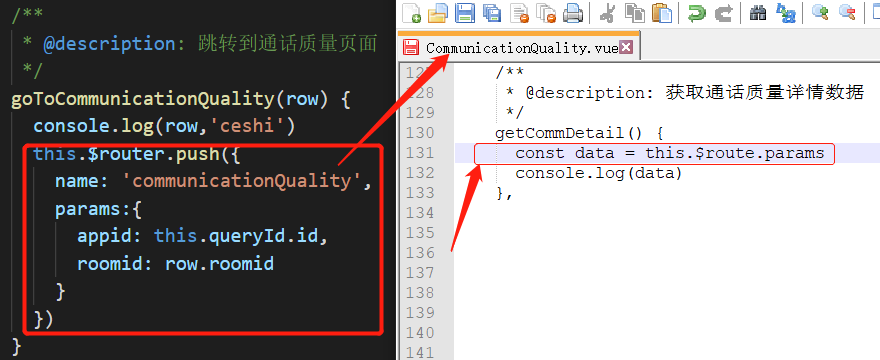 控制台展示: 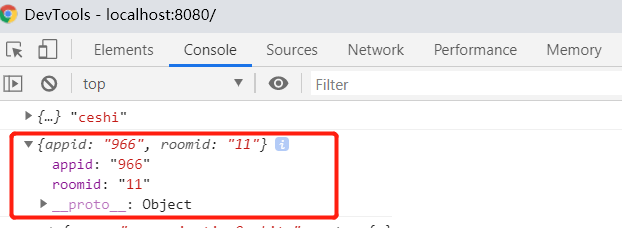 #### 方法二:path跳转页面 ```javascript this.$router.push({path:'/anotherPage',query:{id:1}}); ``` 另一页面接收参数方式: ```javascript this.$route.query.id ``` 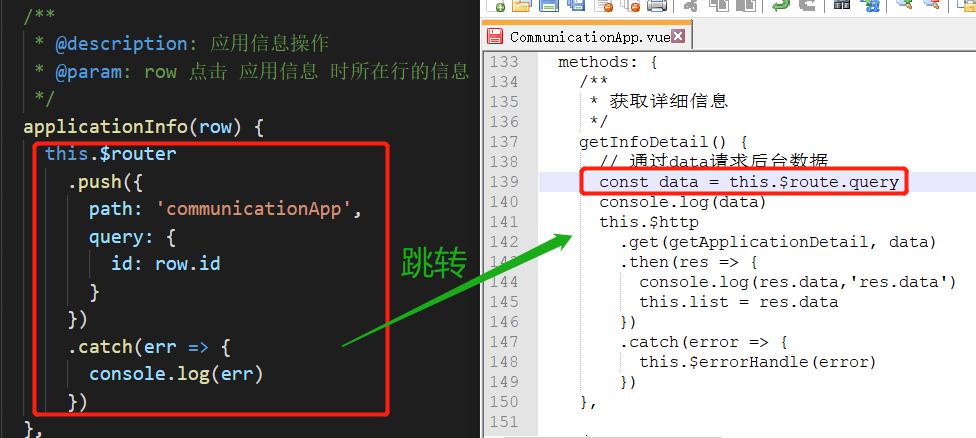 ## 2、区别 1、path的query传参的参数会带在url后边展示在地址栏(`/anotherPage?id=1`),name的params传参的参数不会展示到地址栏。 2、由于动态路由也是传递params的,所以在 `this.$router.push()` 方法中path不能和params一起使用,否则params将无效,需要用name来指定页面。 ## 3、后续添加 路由中, 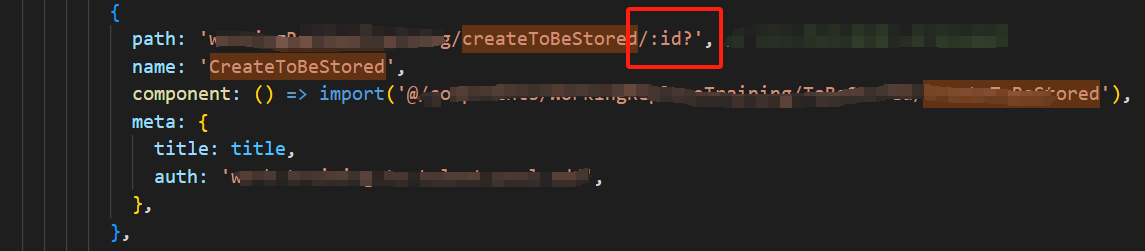 JS中, 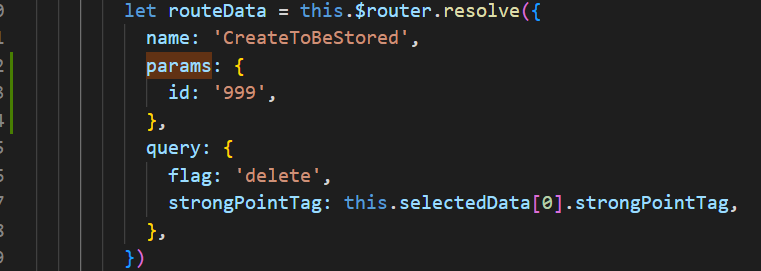 页面上, 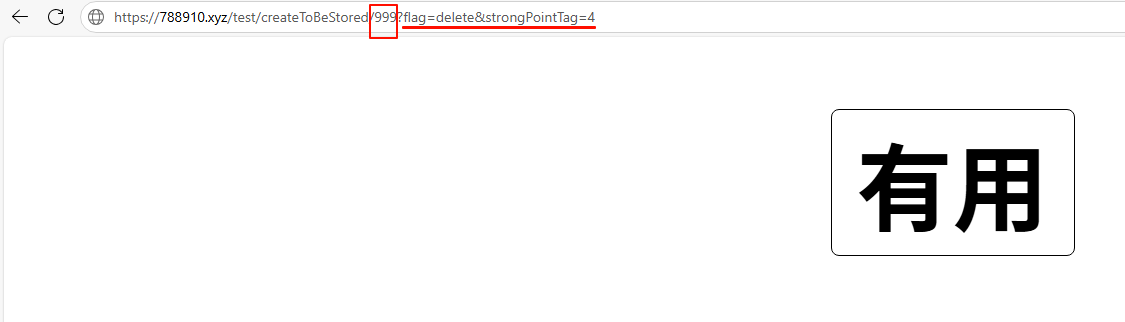 页面路由地址中,问号前面是params(注意路由中要添加id?),问号后面是query ## 快照 - https://pic.rmb.bdstatic.com/bjh/3eec3da3a2b/250619/9012a072281a6d67638da4ae3c415b91.png - https://i3.wp.com/pic.rmb.bdstatic.com/bjh/3eec3da3a2b/250619/9012a072281a6d67638da4ae3c415b91.png - https://788910.xyz/api/snapshot?p=bb6c5b531fc5e69700e873699753b214&u=https://pic.rmb.bdstatic.com/bjh/3eec3da3a2b/250619/9012a072281a6d67638da4ae3c415b91.png
